
How to access juaraslot on mobile
We offer three installation paths. The Android APK is a direct download—you control when to install and update, with no dependency on app stores. The iOS and Android web-app is accessed through your browser and requires no installation; it works on any device with an internet connection and a modern browser (Safari on iOS 12+, Chrome on Android 7+). For users in regions where downloads are restricted or preference leans toward simplicity, the web-app is the entry point.
Android APK
- Direct download, no app-store dependency
- Offline asset caching for faster table loads
- Push notifications for tournament updates and account alerts
- Android 7.0 and later
Web App (iOS & Android)
- No download or installation required
- Add to home screen for app-like experience
- iOS 12+ and Android 7.0+
- Same feature set as APK
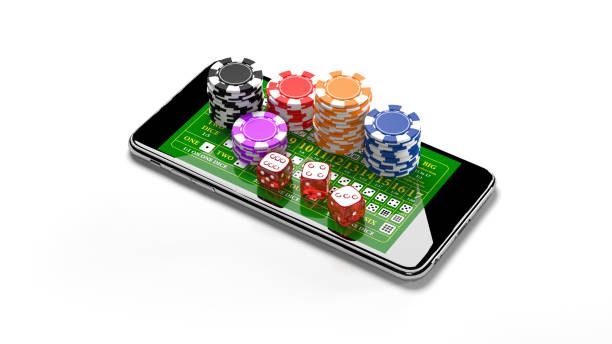
Installation steps for juaraslot
- Download the APK (Android only): Visit juaraslot.win on your Android device, tap the download link, and confirm installation from unknown sources in your device settings.
- Install and open: Once the APK finishes downloading, tap it to install. The app icon appears on your home screen or in your apps drawer.
- Create or log in: Launch the app, enter your username and password, or open an account. Complete KYC verification (ID photo, selfie, proof of residence) within the app.
- Deposit and start: Add a payment method (DANA, e-wallet, mobile banking, local payment, online payment, e-wallet, or your bank), make your first deposit, and access live tables and markets.
App vs. browser: what each does
The Android APK pre-caches live-dealer video codecs and table graphics, so table loads take 2–4 seconds on standard mobile networks (4G, 5G, WiFi). If your connection drops mid-table, the app recovers the session automatically within 10–15 seconds. The web-app caches less aggressively, so initial table load is 3–6 seconds, but updates and market refresh remain fast. Both send push notifications if you enable them (tournament alerts, withdrawal confirmations, account security events). The APK stores notifications locally; the web-app depends on your browser's notification API. Neither requires constant background internet. If you close the app or browser tab, your session remains active for up to subject to verification, so returning users log in once per day.
Device compatibility and requirements
Our juaraslot app and web-app support Android 7.0 and later (released 2016) and iOS 12 and later (released 2018). If your device runs older software, update to the latest version from your device manufacturer. For Android, enable unknown-source installation in Settings → Security if you download the APK. For iOS, no special permissions are needed for web-app access. Minimum RAM is 2 GB; devices with 4 GB or more provide smooth multi-table play. Bandwidth requirement is 1–2 Mbps for live-dealer streams; sportsbook markets and slots require less.

Troubleshooting common install issues
If the APK download fails, check that your device storage has at least 100 MB free space. If installation blocks at "Unknown sources", go to Settings → Apps → Special app access → Install unknown apps, find your browser, and toggle "Allow from this source" on. If the app crashes on launch, clear your app cache (Settings → Apps → juaraslot → Storage → Clear cache) and restart. For web-app users, if the table feed buffers or freezes, refresh the page (pull down and release on iOS; swipe down in Chrome on Android). If login fails, verify your username and password on the website first, then try the app. If you still cannot connect, contact support via live chat on juaraslot.win or email [email protected], and we respond during operational hours in English and regional languages.
App permissions and account security
The juaraslot APK requests four permissions: internet (required for all activity), location (used only to verify jurisdiction compliance at login—disabled by default), camera (for KYC selfie capture), and storage (for game assets and transaction logs). You can deny camera and location at install time; location verification happens via your IP address instead. We do not sell or share location data. All communications between the app and our servers use TLS 1.2 encryption (same protocol as banks use). Your login session is tied to a one-time token that expires after subject to verification of inactivity; if someone gains access to your device, they cannot use your account without your password. Enable two-factor verification in your account settings (SMS or email code) for additional security. If you lose your phone, log in on another device, change your password immediately, and contact support to revoke all active sessions.